Our product solutions in various fields.
In the face of today's rapid technological changes, strategy alone is not enough; architecture is also needed. We are striving to build a stable AI-powered physical lighting architecture.
Architecture.
In architectural design, light becomes a building material.
Interior.
In interior design, light shapes the character of a space.
Product.
In product design, light is used to shape the soul of an object.
Disclaimer: Scenario case images on this page are from public sources on the internet, for product feature and rendering demonstration only. Copyright remains with the original authors; not for commercial use. If your rights are infringed, please contact us for removal.
Gen-AI Technical Model
Location: Shenzhen, China
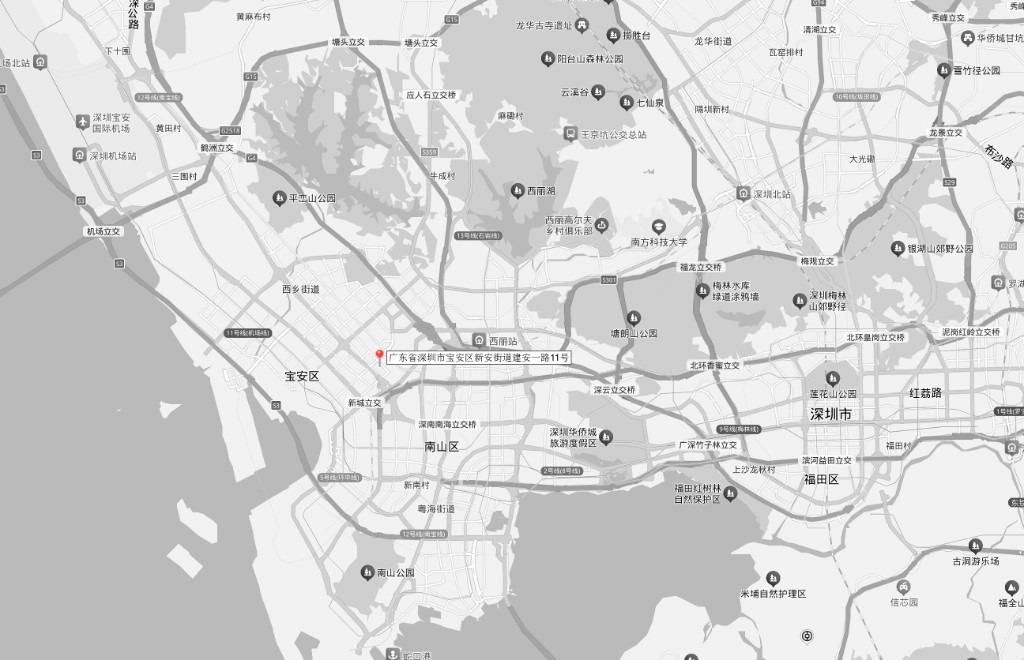
Team Introduction
Document
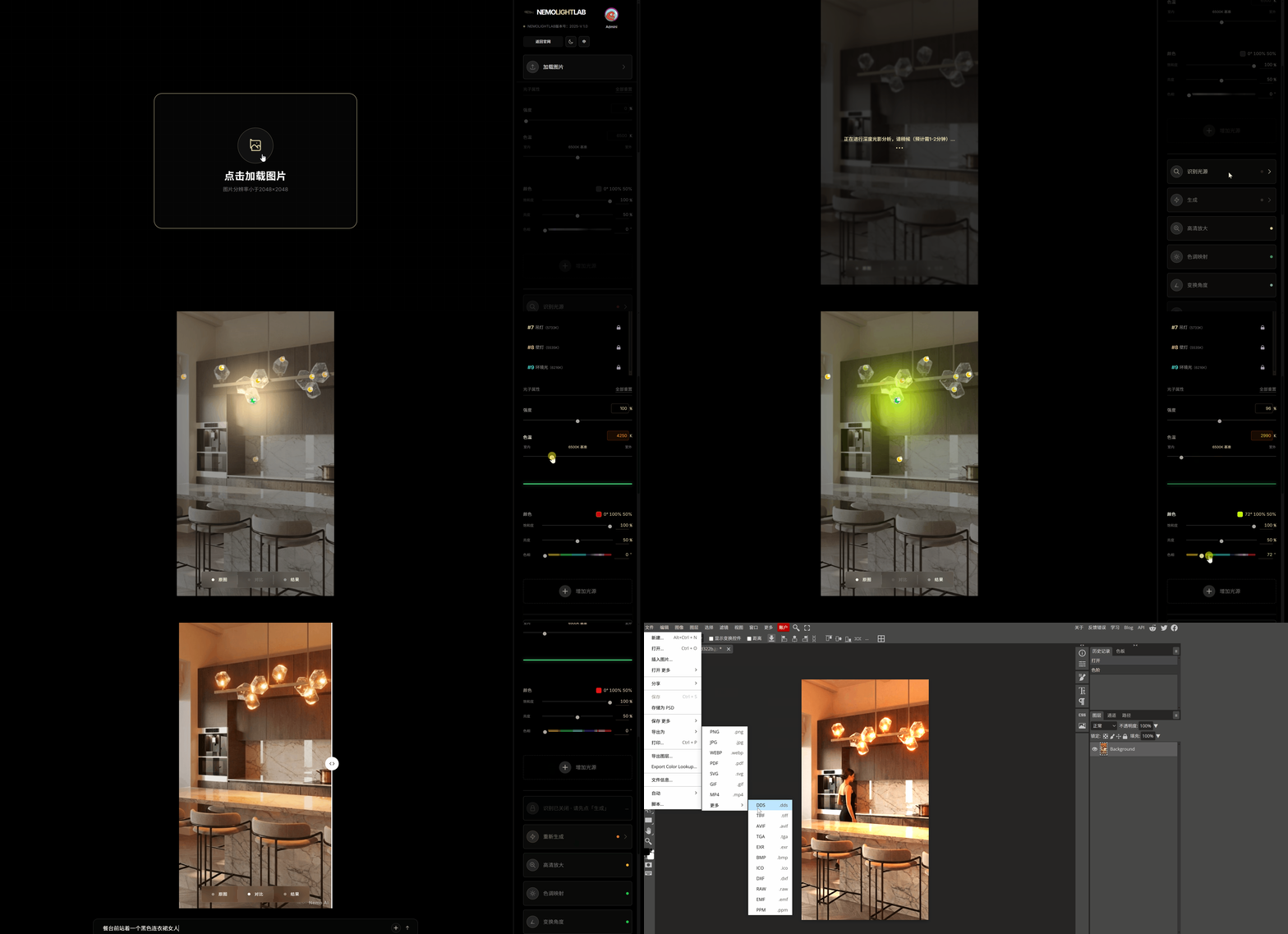
Usage steps and key points
Update
NEMO LIGHT LAB: 重新定义 2D 图像的 3D 物理光影
Subscription Plan
Choose a plan and proceed to payment; after success you will return here with your balance updated.
Flexible Top-up
- 10 lighting maps15 pts each
- 10 text-edit renders15 pts each
- 15 AI HD enlargements10 pts each
- 15 light/shadow mappings10 pts each
- Single item: 15 light/shadow reconstruction10 pts/image
- Single item: 15 text reconstructions10 pts/image
- Single item: 15 physical reconstructions10 pts/image
- Points expire 30 days after purchase/renewal.
- Watermarked output
Starter (trial)
- 40 lighting maps15 pts each
- 40 text-edit renders15 pts each
- 60 AI HD enlargements10 pts each
- 60 light/shadow mappings10 pts each
- Single item: 60 light/shadow reconstruction10 pts/image
- Single item: 60 text reconstructions10 pts/image
- Single item: 60 physical reconstructions10 pts/image
- Points expire 30 days after purchase/renewal.
- Watermarked output
Pro
- 120 lighting maps15 pts each
- 120 text-edit renders15 pts each
- 200 AI HD enlargements9 pts each
- 200 light/shadow mappings9 pts each
- Single item: 200 light/shadow reconstruction9 pts/image
- Single item: 200 text reconstructions9 pts/image
- Single item: 200 physical reconstructions9 pts/image
- Points expire 30 days after purchase/renewal.
- Watermarked output
Flagship
- Single item: 300 lighting maps20 pts/image
- Single item: 300 text-edit images20 pts/image
- Single item: 500 AI HD enlargements12 pts/image
- Single item: 500 light/shadow mappings12 pts/image
- Single item: 500 light/shadow reconstruction12 pts/image
- Single item: 500 text reconstructions12 pts/image
- Single item: 500 physical reconstructions12 pts/image
- Points expire 60 days after purchase/renewal.
- Watermarked output
Semi-annual membership
- Single item: 1800 lighting maps20 pts/image
- Single item: 1800 text-edit images20 pts/image
- Single item: 3000 AI HD enlargements12 pts/image
- Single item: 3000 light/shadow mappings12 pts/image
- Single item: 3000 light/shadow reconstruction12 pts/image
- Single item: 3000 text reconstructions12 pts/image
- Single item: 3000 physical reconstructions12 pts/image
- Points expire 6 months after purchase/renewal.
- Watermarked output
Contact us
Ready to start chatting with us?
Please contact us if you have any suggestions, comments, or questions.